Forecast the energy
Compare the expected output, range, confidence, weather, and timing before choosing when to use power.
 SunPlanner Get SunPlanner
 How SunPlanner works
SunPlanner estimates what your configured solar system may produce today and across 16 days. Sun Finder shows how the sun travels relative to your panels at a place and date you choose.
Compare the expected output, range, confidence, weather, and timing before choosing when to use power.
Compare the sun path with panel direction before choosing a location or adjusting the setup.
Today and the next hour
The Dashboard combines the configured system with forecast conditions for the selected location. It shows a daily energy estimate, an expected range, confidence, weather, and the strongest solar window.
The PowerBar estimates a rolling one-hour window in kW. It is forecasted power, not measured output from the equipment.
Use the forecast on Android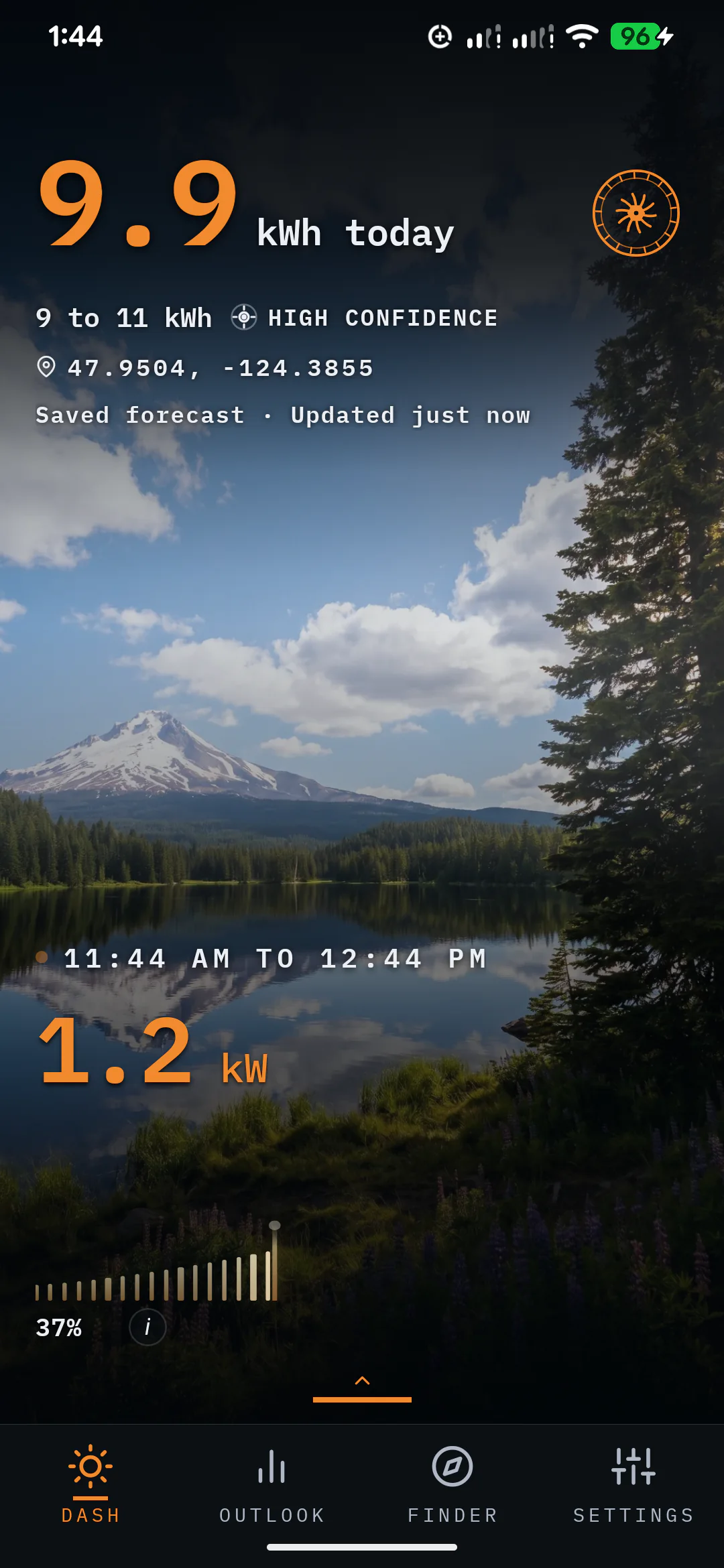
Sixteen-day outlook
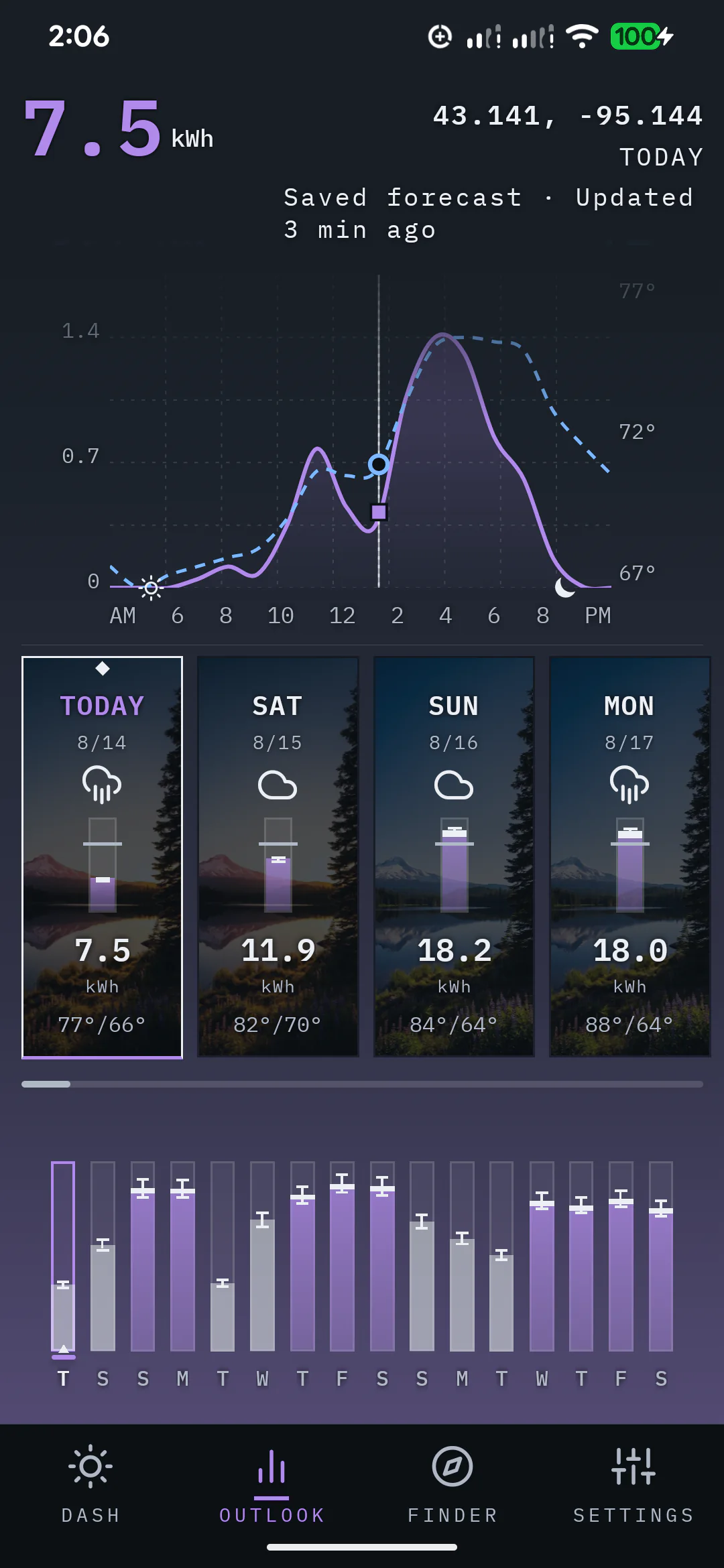
Outlook compares daily kWh ranges and confidence, then opens an hourly production curve for the selected day. It helps separate stronger solar days from weaker ones before you plan charging, chores, travel, or generator use.
Each day has its own expected range and confidence. When weather-model agreement data is available, closer agreement tightens that day's range and greater disagreement widens it.
Sun Finder
Search the campground address before reserving, move the pin among the spots you are considering, and compare the sun path for the date of your stay. Sun Finder helps you judge which spot gives the rig or ground array the better solar window.
You make the final call based on the trees, terrain, and anything else you can see at the site.
Take Sun Finder with you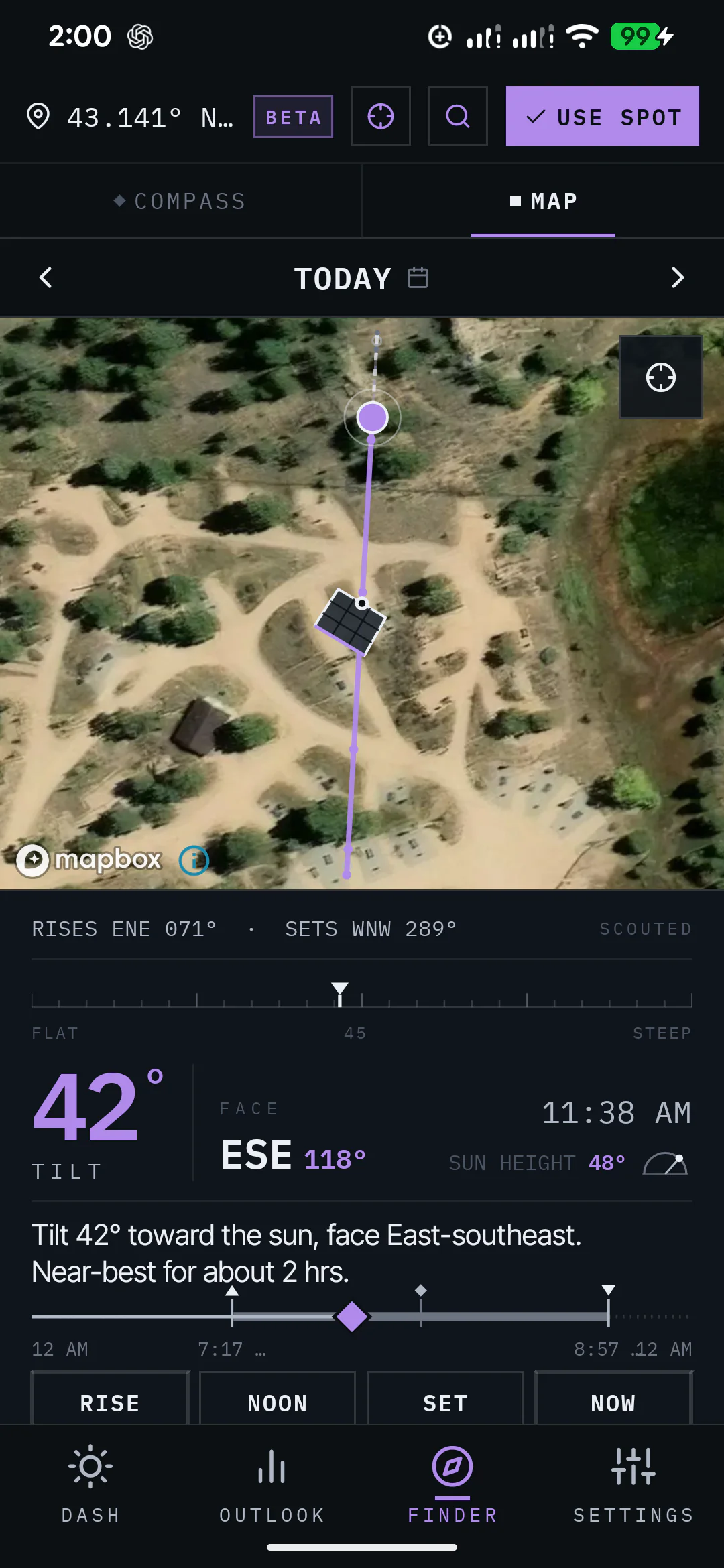
Calibration
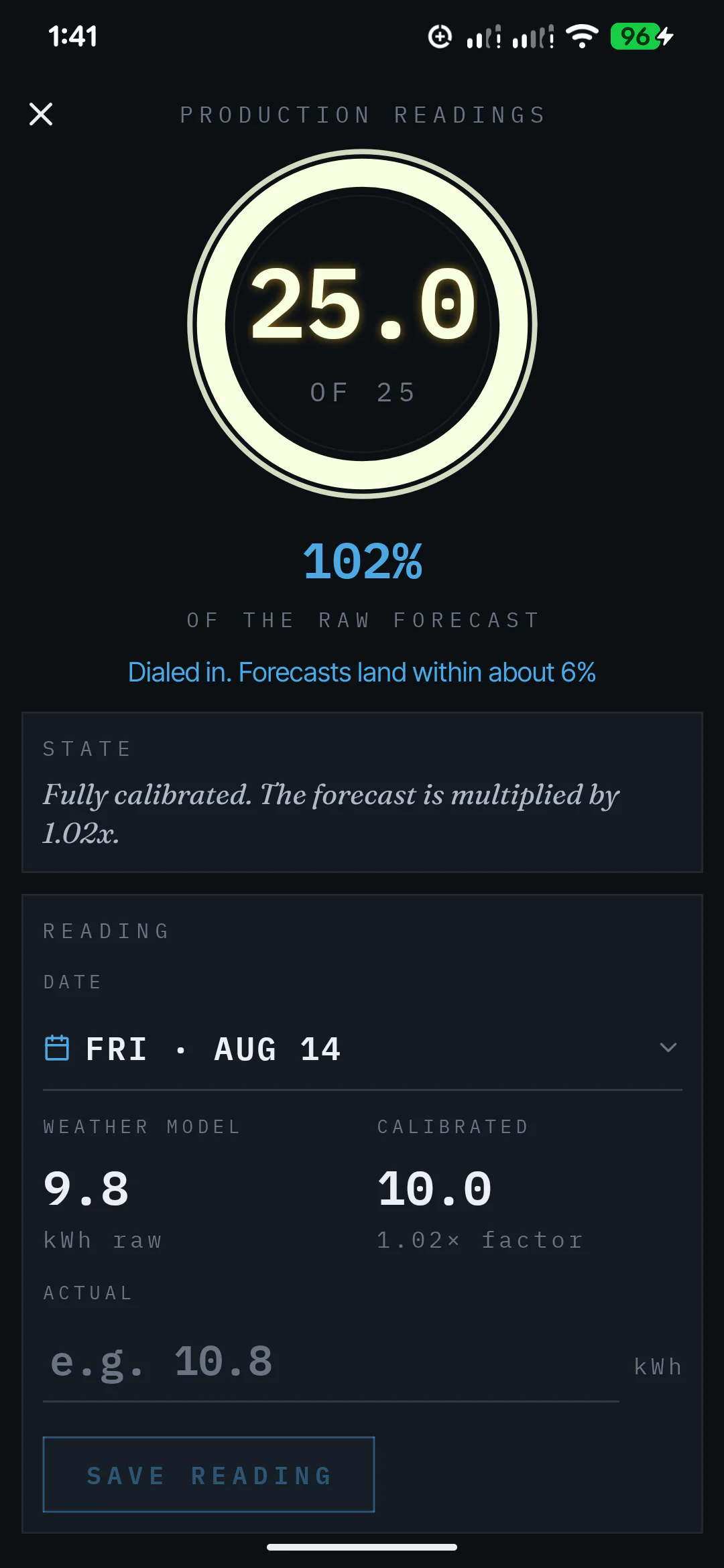
Log the final kWh your system produced. After three usable readings, SunPlanner starts applying what it has learned to future forecasts. The calibration profile keeps building toward 25 usable readings.
If you already have daily production records, add those past dates now. Otherwise, keep logging new days as you use the system.
01Forecast the day
02Log the final kWh
03Apply the learned factor
What changes the estimate
Setup fields and calibration play different jobs. Keeping them separate makes the result easier to understand.
Location, arrays, panel count and wattage, efficiency loss, temperature derate, azimuth, and tilt feed the production estimate directly.
After three usable end-of-day readings, SunPlanner starts applying what it has learned to future forecasts.
Battery capacity helps estimate approximate battery gain. It does not change predicted solar production and is not battery telemetry.
Decisions, not promises
Load planningMove flexible energy use toward the stronger forecast window.
ChargingSee whether the next day is likely to support the charging plan.
TravelCompare upcoming days before deciding when to stay or move.
Panel placementCompare the sun path with panel direction at the site and date that matter.
Weather behind the forecast
SunPlanner combines weather forecasts with the configured system to estimate daily energy, expected ranges, confidence, and the strongest solar window across the outlook.
NREL solar-resource research supports the science behind the production model. SunPlanner turns forecast conditions into planning estimates for the system and location you selected.
Straight answers
No. SunPlanner estimates how much energy the configured system may produce. The daily forecast, expected range, confidence, and current-hour PowerBar are planning estimates, not readings from an inverter, charge controller, battery, or utility meter.
The PowerBar estimates a rolling one-hour window from forecast data. Its percentage compares that estimate with the calibrated realistic peak of the configured array. It is not a live power meter.
No. Sun Finder shows sun geometry and panel direction for a chosen place and date. You use that view to judge placement. It does not calculate tree height, terrain shadows, or obstruction shading.
If you already have daily production readings, you can add past dates right away instead of waiting for new days to pass. SunPlanner starts adapting after three usable readings and builds toward a fully tuned 25-reading profile.
No. Battery capacity supports the separate battery-gain estimate. It does not change how much solar energy SunPlanner predicts the panels may produce.
Each forecast day has its own expected range and confidence. When weather-model agreement data is available, closer agreement tightens that day's range and greater disagreement widens it.
Available now on Android
Enter the system you use, check the conditions ahead, and compare the sun at the place you are considering.